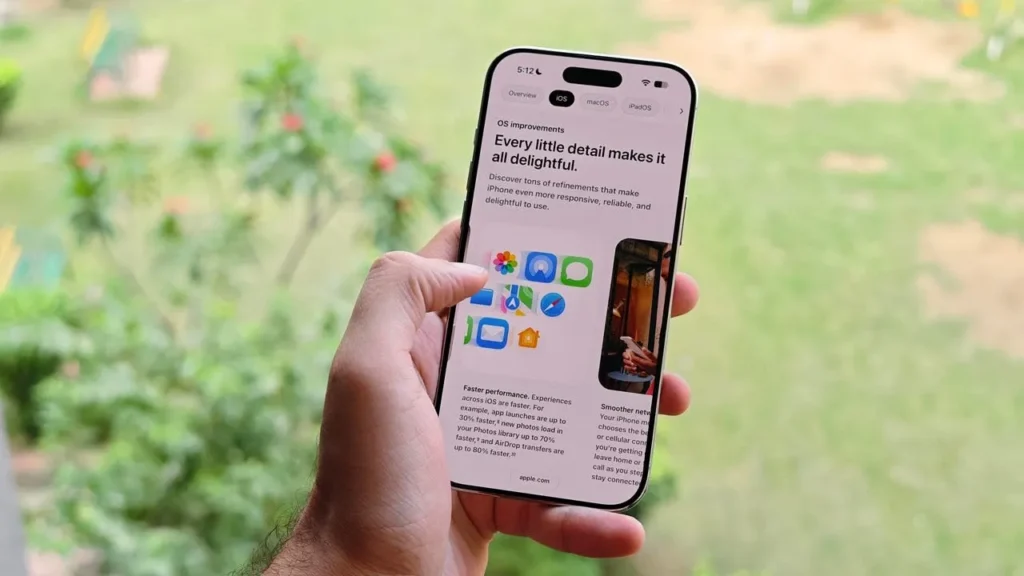
Apple has officially introduced iOS 27, the latest major software update for iPhone, bringing new features, performance improvements, enhanced Apple Intelligence capabilities, and a redesigned user experience.
If you’re wondering how to download iOS 27, which iPhone models support the update, and whether you should install the beta version, here’s everything you need to know.
What Is New in iOS 27?
iOS 27 focuses on improving the overall iPhone experience while introducing more powerful AI-powered features.
One of the biggest highlights is the next generation of Siri and Apple Intelligence, designed to make Siri more useful and capable of understanding natural conversations and handling more tasks.
Other notable iOS 27 features include:
- Improved Siri and Apple Intelligence capabilities
- Enhancements to the Liquid Glass interface
- New AI-powered image editing features
- Expanded Visual Intelligence
- Performance and responsiveness improvements
- New privacy and security enhancements
- Additional safety features for children
- Improvements to built-in iPhone apps
Some Apple Intelligence features require compatible hardware and may vary depending on language and region.
Which iPhone Models Support iOS 27?
The good news is that iOS 27 supports a wide range of iPhone models.
According to Apple, iOS 27 is compatible with iPhone 11 and later, as well as the iPhone SE (2nd generation and later).
iPhone 17 Series
- iPhone 17
- iPhone 17e
- iPhone Air
- iPhone 17 Pro
- iPhone 17 Pro Max
iPhone 16 Series
- iPhone 16
- iPhone 16e
- iPhone 16 Plus
- iPhone 16 Pro
- iPhone 16 Pro Max
iPhone 15 Series
- iPhone 15
- iPhone 15 Plus
- iPhone 15 Pro
- iPhone 15 Pro Max
iPhone 14 Series
- iPhone 14
- iPhone 14 Plus
- iPhone 14 Pro
- iPhone 14 Pro Max
iPhone 13 Series
- iPhone 13
- iPhone 13 mini
- iPhone 13 Pro
- iPhone 13 Pro Max
iPhone 12 Series
- iPhone 12
- iPhone 12 mini
- iPhone 12 Pro
- iPhone 12 Pro Max
iPhone 11 Series
- iPhone 11
- iPhone 11 Pro
- iPhone 11 Pro Max
iPhone SE
- iPhone SE (2nd generation)
- iPhone SE (3rd generation)
Keep in mind that not every iOS 27 feature is available on every supported iPhone. Features that require more advanced hardware, particularly Apple Intelligence, are limited to compatible devices.
How to Download iOS 27 on Your iPhone
If iOS 27 is officially available for your iPhone, you can update directly from the Settings app.
Step 1: Back Up Your iPhone
Before installing a major iOS update, it’s highly recommended to back up your important data.
You can use iCloud or back up your iPhone to a Mac or PC.
A backup gives you an extra layer of protection if something goes wrong during the update.
Step 2: Connect to Wi-Fi
Make sure your iPhone is connected to a stable Wi-Fi network.
You should also check that your device has enough available storage space for the update.
Step 3: Open Software Update
On your iPhone, go to:
Settings → General → Software Update
Your iPhone will check for available software updates.
Step 4: Download and Install iOS 27
If iOS 27 is available for your device, you will see the option to download and install it.
Tap Download and Install and enter your iPhone passcode if requested.
Your iPhone may restart several times during the installation process.
Can You Download iOS 27 Right Now?
Whether you can download iOS 27 depends on which version you want to install.
Apple has announced iOS 27, with the public release scheduled for fall 2026.
If you want to try the new features before the official release, you can participate in Apple’s beta software programs.
However, beta software is designed for testing and may contain bugs, compatibility issues, performance problems, or battery-life issues.
For most users, it is recommended to wait for the official stable release.
How to Install iOS 27 Beta
If you want to test iOS 27 before the official release, Apple provides beta software through its testing programs.
The general process is:
- Back up your iPhone.
- Sign in with your Apple Account.
- Enroll in Apple’s beta software program.
- Open Settings → General → Software Update.
- Select Beta Updates.
- Choose the available iOS 27 beta.
- Download and install the update.
Because beta software can contain bugs, it’s better to install it on a secondary device rather than an iPhone you depend on for work or important daily tasks.
Should You Install iOS 27 Beta?
The answer depends on how you use your iPhone.
If you’re an enthusiast or developer who wants to test the newest features, installing the iOS 27 beta can be a great way to experience the update early.
However, regular users should consider waiting for the stable version.
Before installing iOS 27 beta, make sure you:
- Back up all important data.
- Have enough free storage.
- Connect your iPhone to Wi-Fi.
- Keep your device sufficiently charged.
- Check whether your important apps support the beta.
- Avoid installing beta software on your primary work device.
Will Older iPhones Get iOS 27?
Yes.
Apple continues to support several older iPhone models with iOS 27, including the iPhone 11 series and iPhone SE (2nd generation and later).
However, software compatibility does not mean every feature will be available on every device.
Advanced AI features such as Apple Intelligence require newer hardware. Compatible iPhones include iPhone 15 Pro and iPhone 15 Pro Max, as well as iPhone 16 and newer models, depending on the specific feature and region.
Is iOS 27 Worth Updating To?
For users with a compatible iPhone, iOS 27 is worth considering once the stable version becomes available.
The update introduces new features, improved performance, enhanced security, and more intelligent AI-powered tools.
However, if your iPhone is essential for work or business, waiting for the stable release is generally the safer option than installing an early beta.
Final Thoughts
iOS 27 is one of Apple’s biggest iPhone software updates, introducing new AI capabilities, improvements to Siri, Visual Intelligence enhancements, interface updates, and other improvements.
The update supports a large number of iPhone models, starting with the iPhone 11 and iPhone SE (2nd generation).
If you want to experience iOS 27 before everyone else, Apple’s beta program provides an early opportunity to test the new features. For everyday users, however, waiting for the official stable release is the best choice.
Frequently Asked Questions About iOS 27
Which iPhones support iOS 27?
iOS 27 supports iPhone 11 and newer models, along with iPhone SE (2nd generation) and newer.
Can iPhone 11 get iOS 27?
Yes. The iPhone 11, iPhone 11 Pro, and iPhone 11 Pro Max are compatible with iOS 27.
Can iPhone 12 get iOS 27?
Yes. All iPhone 12 models support iOS 27.
Does iOS 27 include Apple Intelligence?
Yes, but Apple Intelligence requires compatible hardware. Supported devices include iPhone 15 Pro and iPhone 15 Pro Max, as well as iPhone 16 and newer models, depending on the feature.
Should I install iOS 27 Beta?
If you want to test new features early, you can install the beta. However, beta software may contain bugs and performance issues, so most users should wait for the official stable release.
When will iOS 27 be officially released?
Apple has announced that iOS 27 will be released publicly in fall 2026.